Works on your phone. No account.

Track your spending. Keep it on your phone.

SpendSteps is an expense tracker that runs entirely on your phone. Take a photo of a receipt and it fills in the amount and picks a category. Your transactions never leave the device.

iPhone and Android. Free to try, no sign-up.
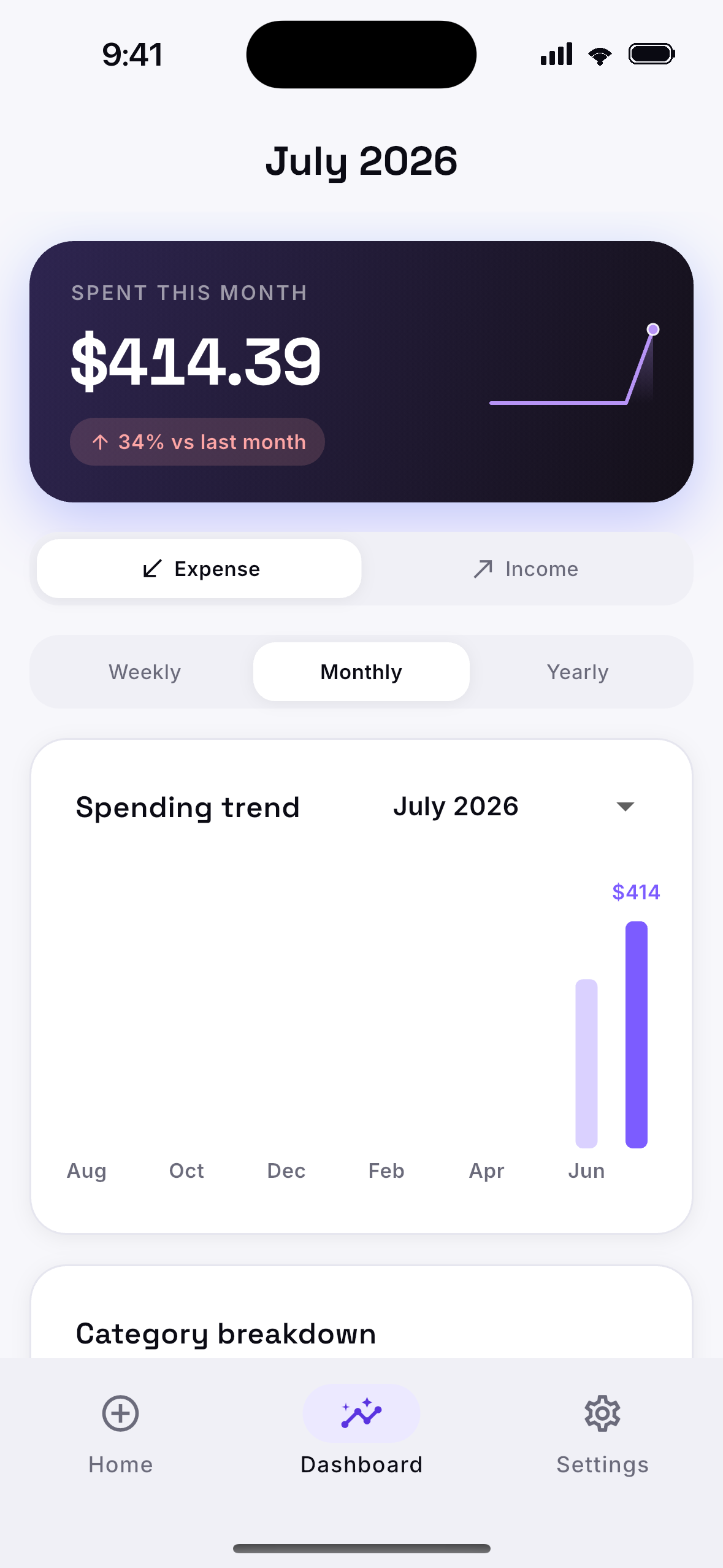
SpendSteps dashboard showing the monthly spending trend and category breakdown

Privacy

Your money is your business.

SpendSteps keeps your finances on your phone. The only thing that ever leaves the app is a currency code, used to look up exchange rates. Never an amount, never a merchant, never you.

Features

Built for one job: knowing where your money went.

Stays on your phone

Everything is stored and worked out on the device. There are no accounts and no tracking. The only thing that leaves the phone is a currency code, so we can look up exchange rates. Never an amount or a merchant.

Photograph a receipt

Text recognition runs on the device and fills in the amount and a note. Category suggestions learn from your own history, and fall back to simple keyword matching when they have nothing to go on.

Any currency

Reference exchange rates come from the ECB. Spend abroad and see the cost in your home currency straight away.

See where it goes

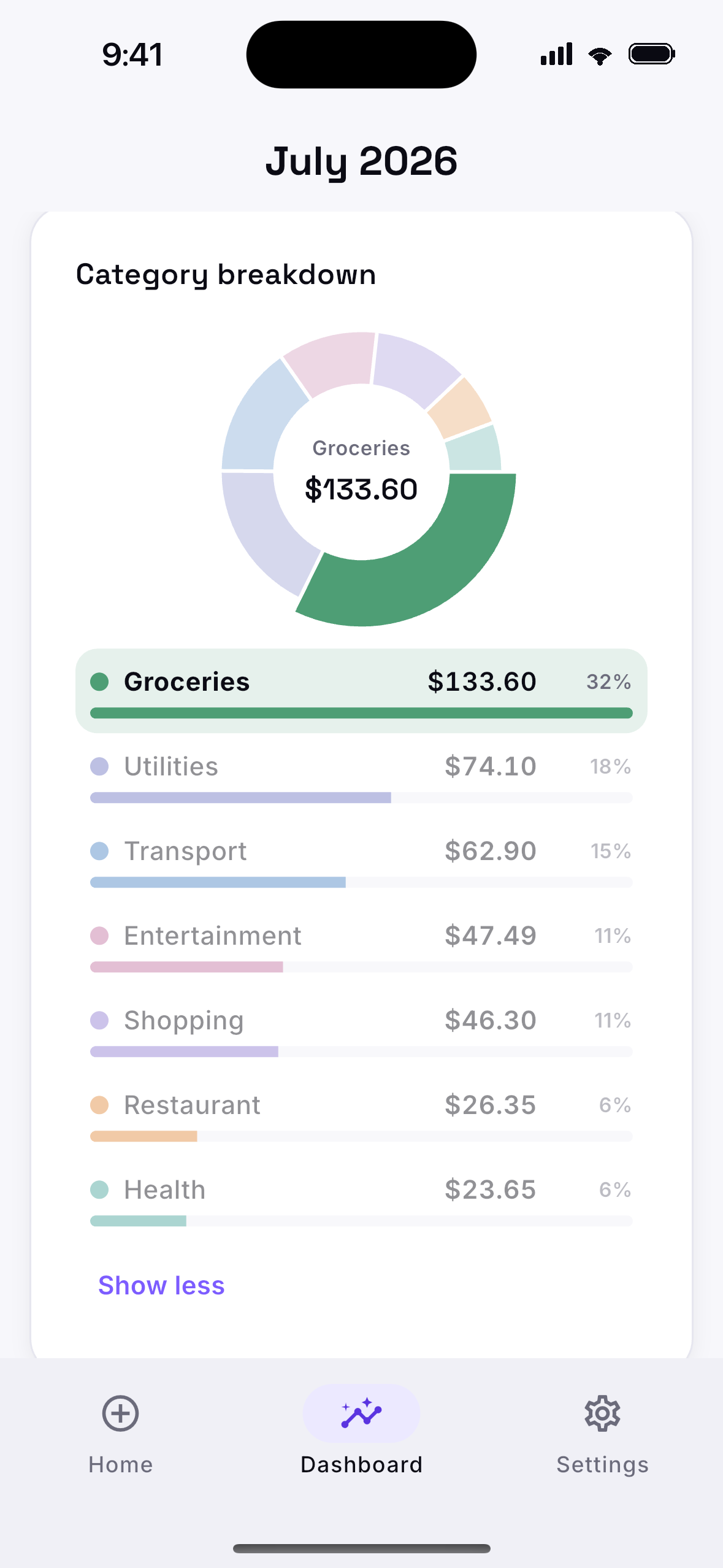
A breakdown by category, spending over time, income against spending, and budgets.

Just ask

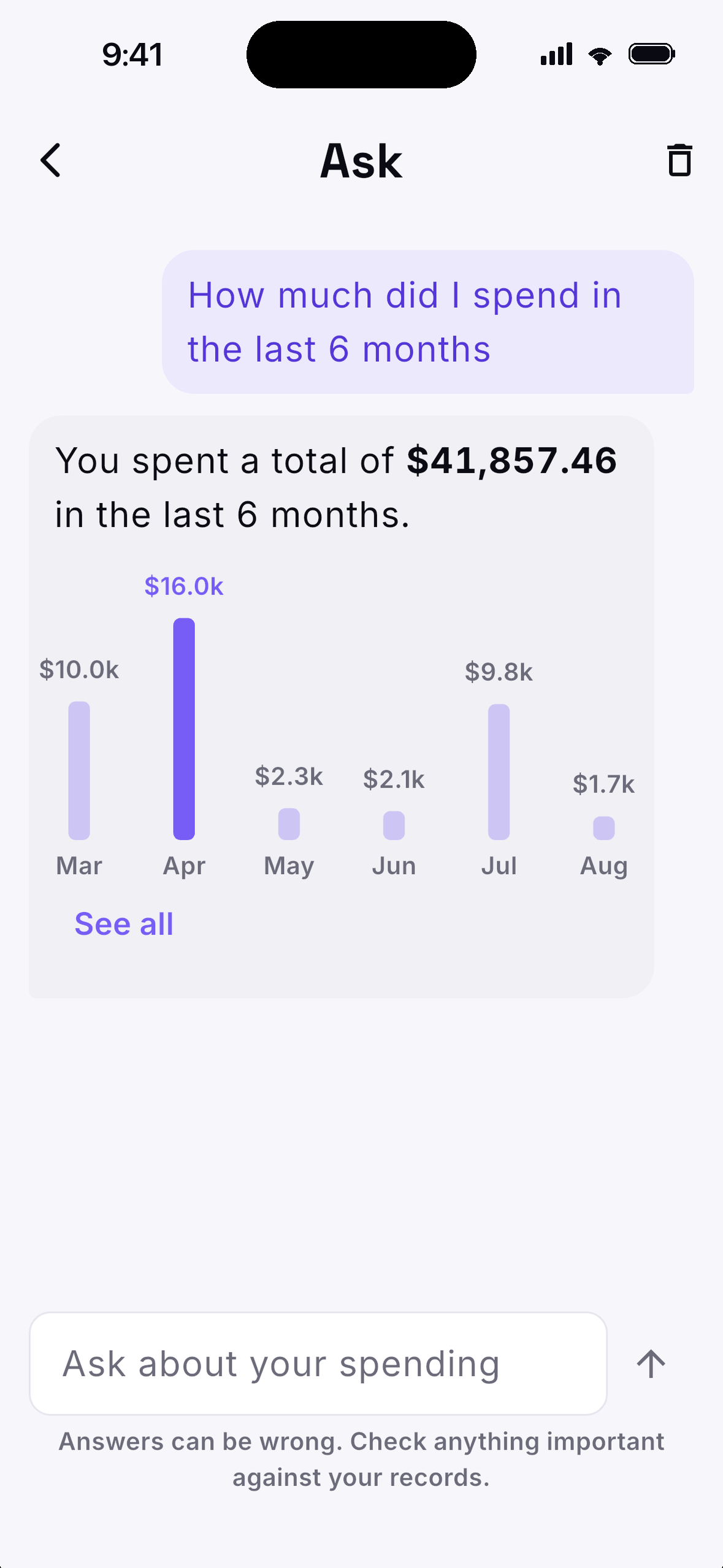
Ask about your spending in plain language and get an answer with the chart behind it. Apple Intelligence works it out on your iPhone, so your question and your transactions stay on the device.

Recurring bills

Set up a recurring bill or subscription once and it's logged for you from then on.

Yours to take

Nine languages, plus CSV import and export, so your history moves in and out whenever you want.

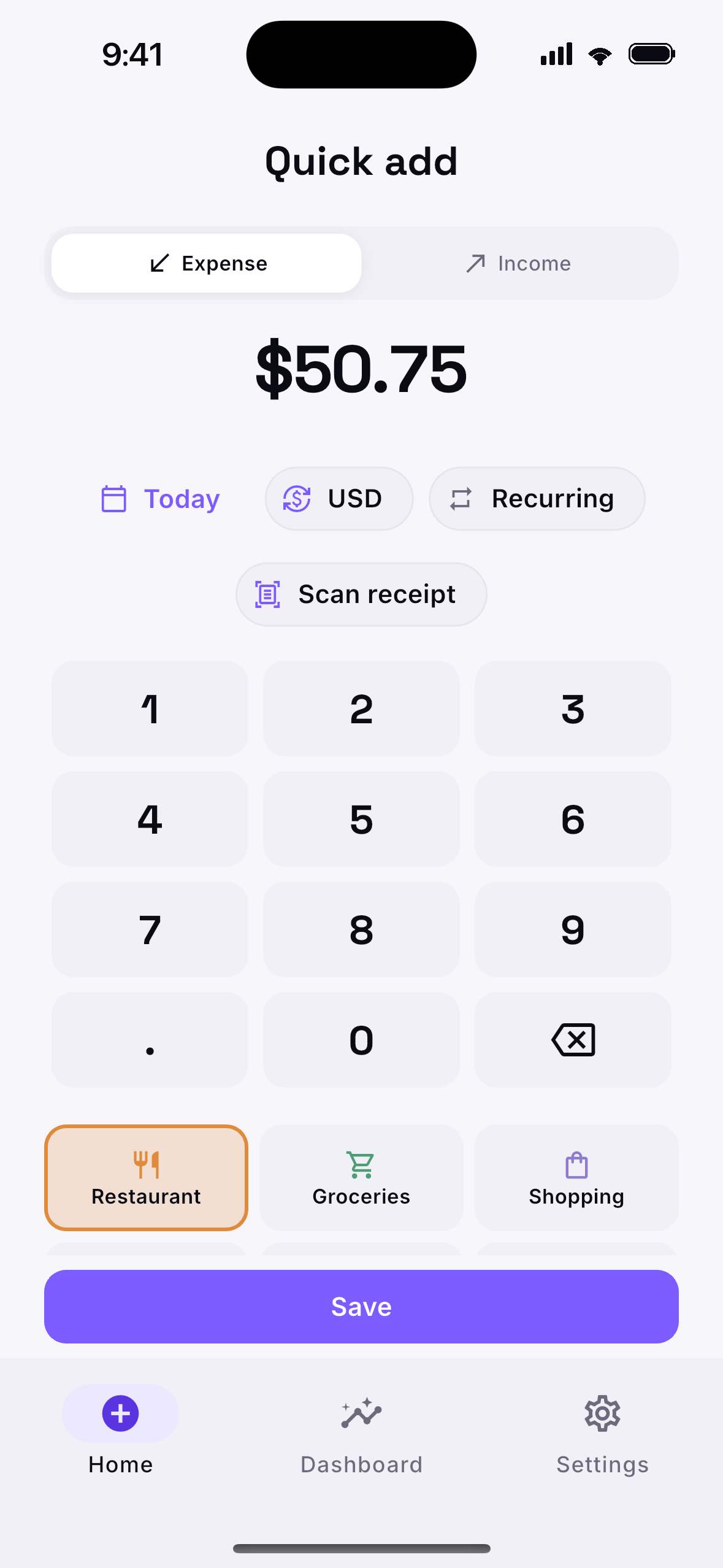
Quick add screen with number pad and categories
Asking the on-device assistant a question about spending
Category breakdown donut chart
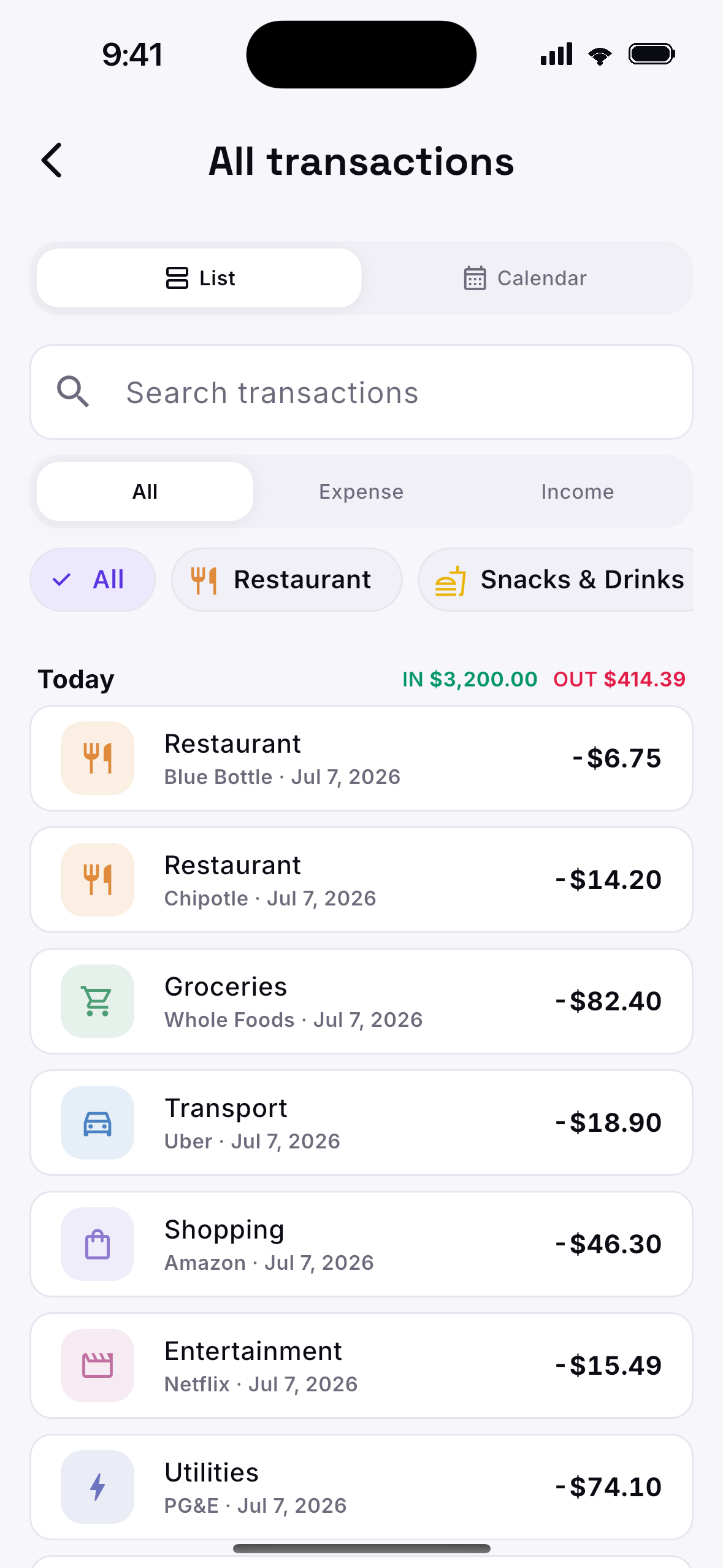
All transactions list with category filters
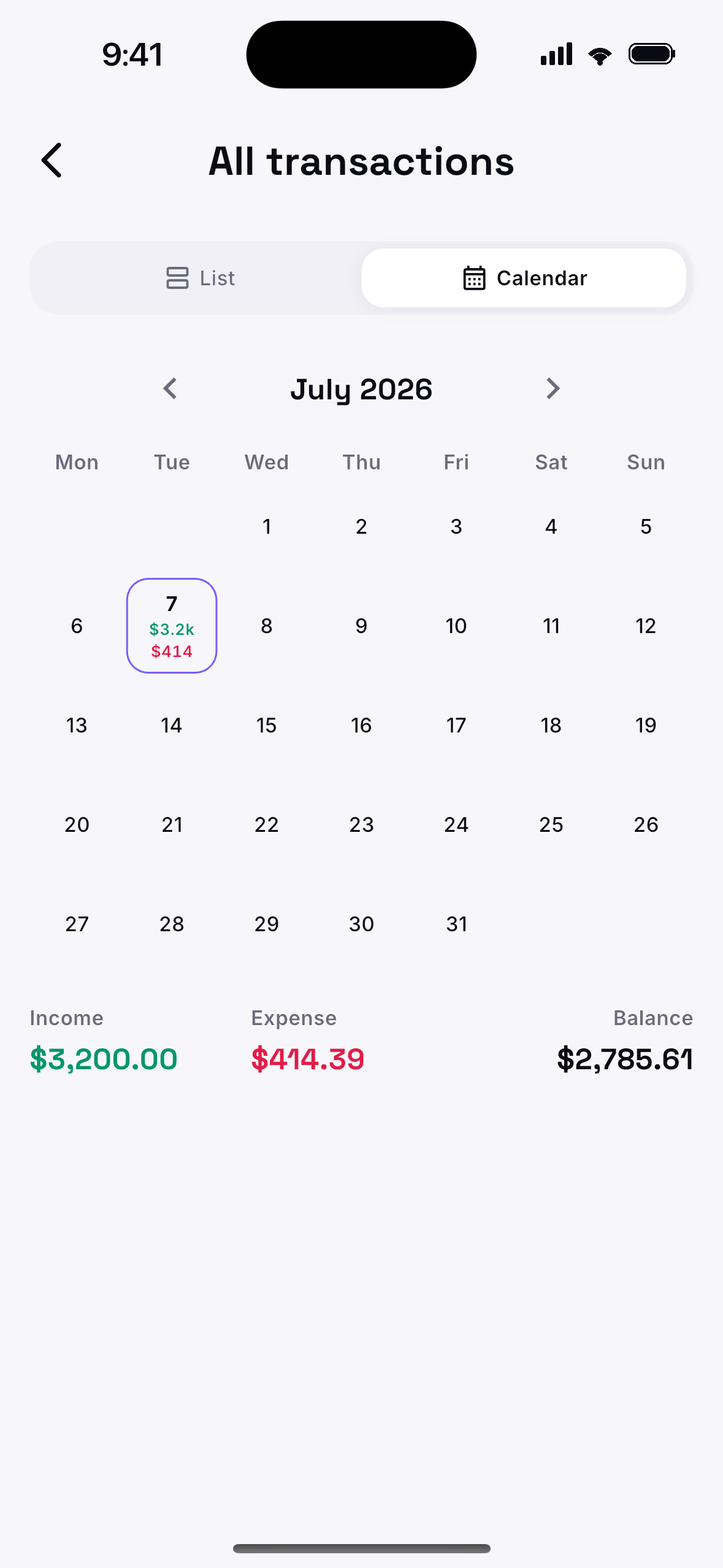
Monthly calendar view of income and spending

How it works

From receipt to answer in three steps.

1

Snap it or type it

Point the camera at a receipt, or add an expense by hand. Text recognition on the device reads the amount and note in about a second.

2

It picks a category

SpendSteps suggests a category from patterns in your own history, so entries sort themselves as you go.

3

See where it went

The breakdown, trends and budgets update as you add entries. All of it is worked out on your phone.

Try SpendSteps.

Get it for iPhone or Android and have a clear picture of your spending in a few minutes. There's no account to create.

Needs iOS 16+ or Android 7.0+.